Data Format
The results of the pipeline analysis are stored in the NeXus file format as defined in the pygid package.
Alongside converted data, experimental parameters, and metadata, the entry/data/analysis group contains detected and fitted peaks (including uncertainties), as well as multiple matching solutions for each entry.
analysis/frame00000 group
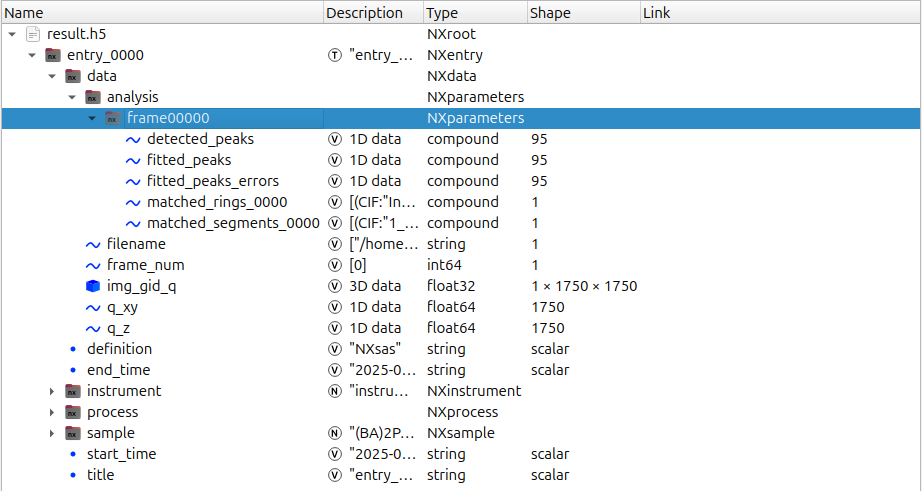
detected_peaks field
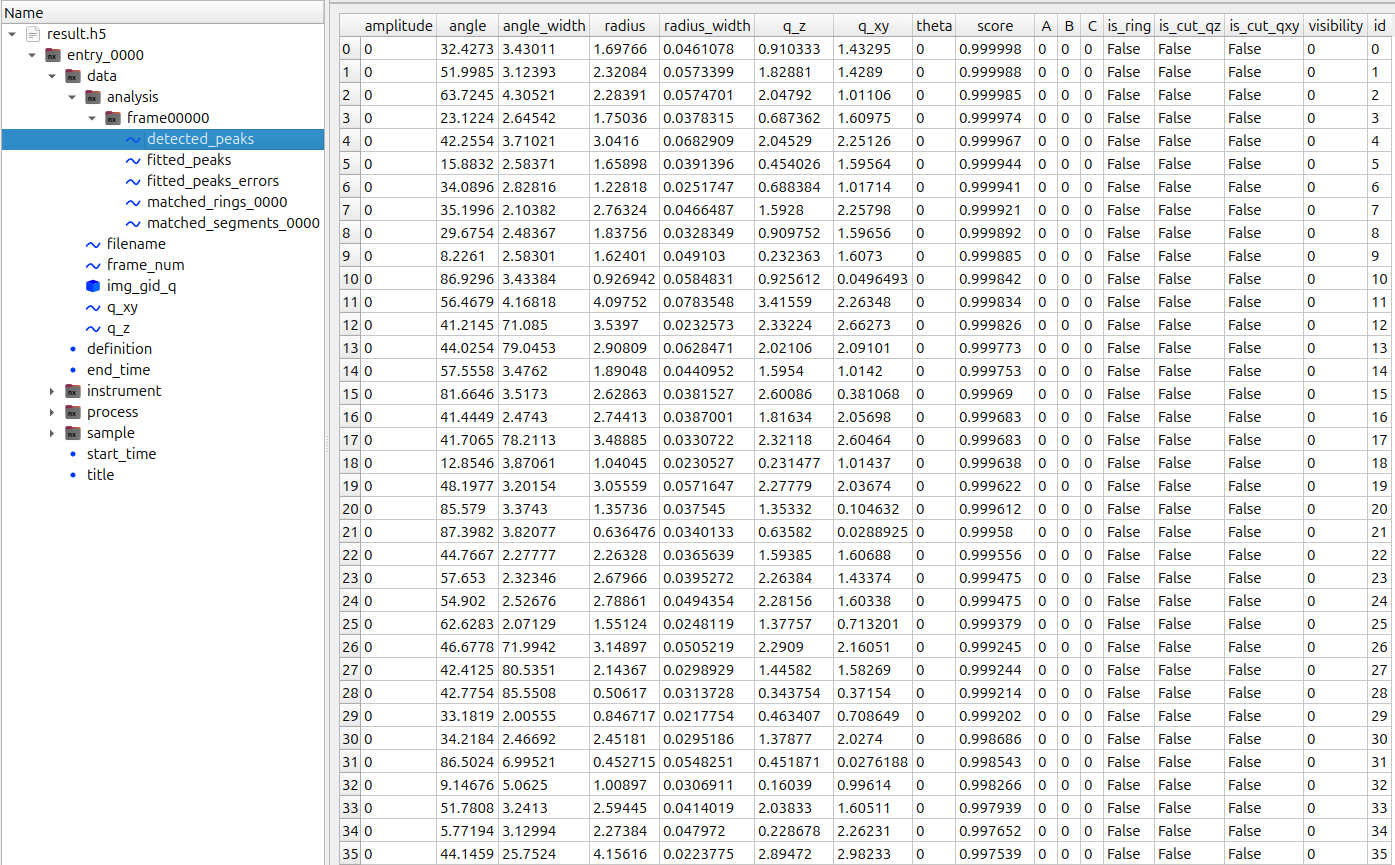
This field contains:
Detected bounding boxes:
angle— angular centerangle_width— angular extentradius— radial centerradius_width— radial extentq_z,q_xy— box center in cylindrical coordinates
Detection score:
score— confidence score assigned to each detected peak
Detected boxes can be visualized using mlgidGUI.
fitted_peaks field
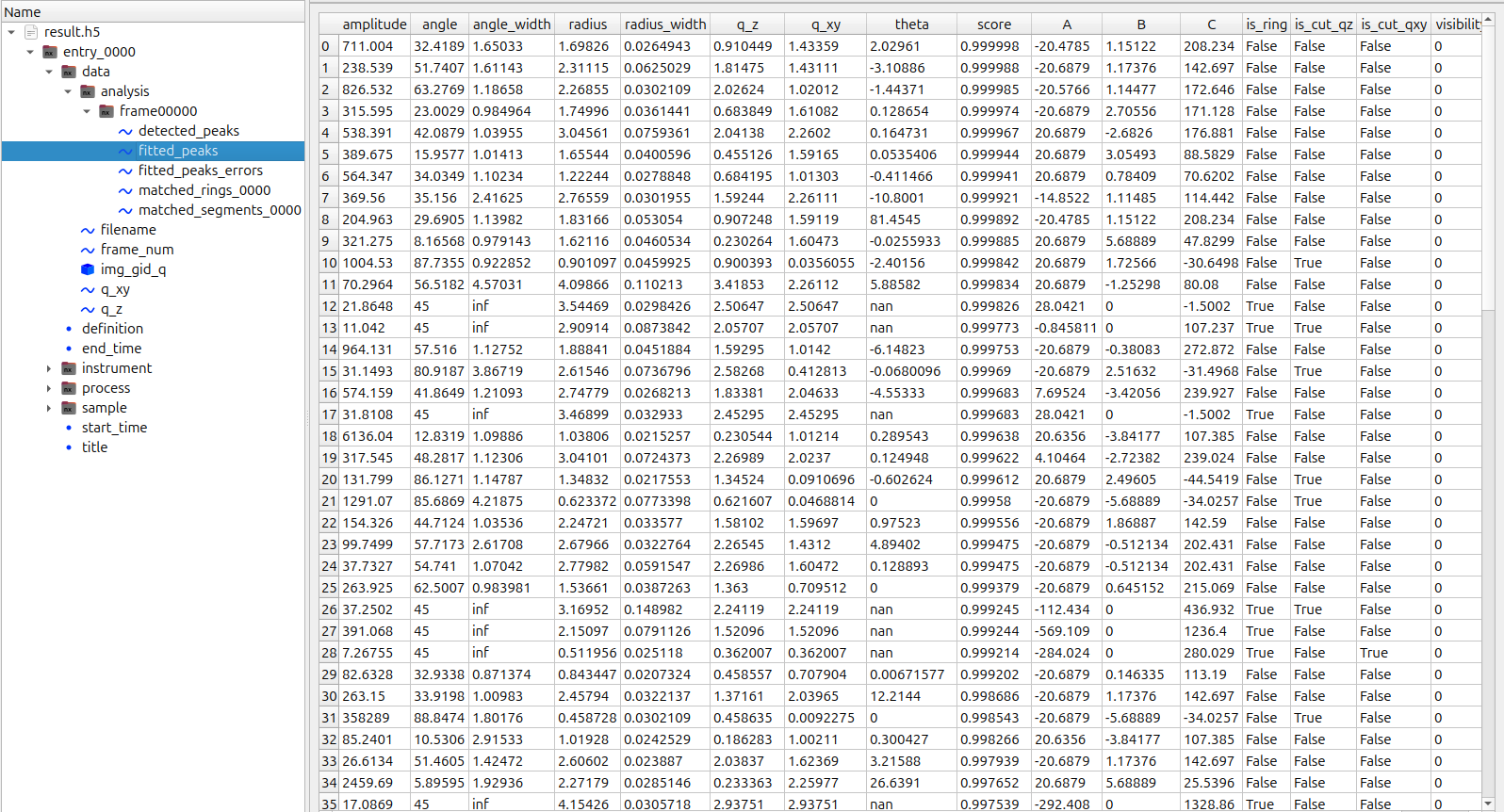
In addition to refined peak parameters obtained from fitting, this field includes:
amplitude— Gaussian peak intensitytheta— Gaussian rotation angleis_ring— boolean flag indicating ring (True) or segment (False)A,B,C— background plane parameters defined as:
bkg = A · q + B · ang + Cis_cut_qz,is_cut_qxy— boolean flags indicating truncation due to missing wedge or sample horizon
fitted_peaks_errors field has the same parameters, but for uncertainties.
matched_peaks field
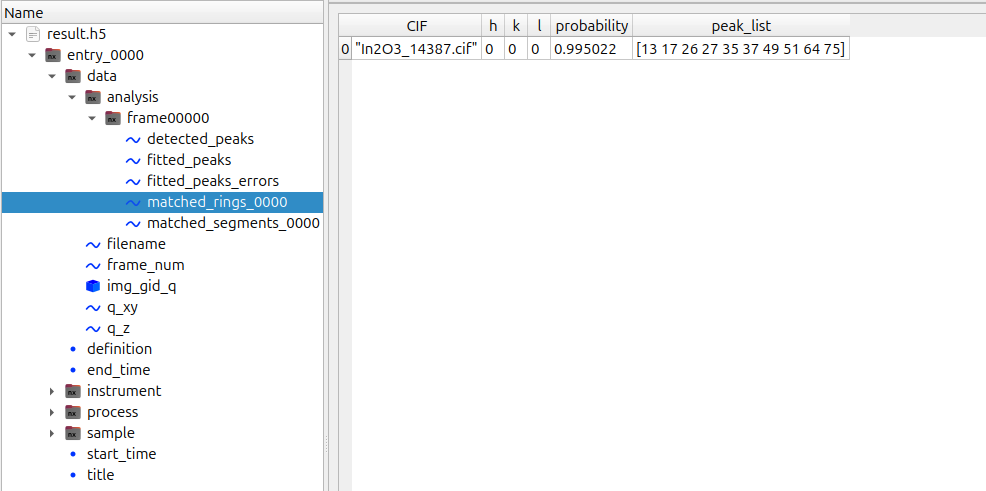
Each matched_* group corresponds to an individual solution from the mlgidMATCH procedure and contains identified structural models:
CIF— name of the CIF file used during preprocessingh,k,l— Miller indices of the contact plane ([0,0,0]for random orientation)probability— model confidence (range: 0–1)peak_list— indices of peaks corresponding to entries infitted_peaksanddetected_peaks
Process Details
All processing parameters, along with package versions and execution timestamps, are stored in the entry/process group. This ensures full reproducibility of the analysis workflow.
The group contains the following sub-entries:
mlgiddetect
Configuration parameters used during peak detection, including the selected model.pygidfit
Parameters related to peak clustering and cluster extension.mlgidmatch
Matching configuration, including:the list of CIF files used during preprocessing
the instrument/device type assumed for the matching procedure
intensity and probability thresholds
Data Access
The data can be accessed using silx view, the h5py package, or pygid.NexusFile
(see pygid Tutorial 11,
mlgidBASE Tutorial 8).
Example: Reading Fitted Data
import pygid

filename = '../example/result_from_file.h5'
nexus = pygid.NexusFile(filename)

fitted_peaks = nexus.get_dataset('/entry_0000/data/analysis/frame00000/fitted_peaks')

amplitude = fitted_peaks['amplitude']
q_xy = fitted_peaks['q_xy']
q_z = fitted_peaks['q_z']